
Can Fambot change my calendar without permission?

By David Reich, Founder & CEO of Fambot
Published: August 28, 2026 · Last updated: Septembner 1, 2026
Article Summary (TL;DR)
Fambot can read family-related information only after a parent connects sources like Gmail, Outlook, Apple Calendar, Google Calendar, and WhatsApp. It can find school details, suggest reminders, send a daily plan, and help keep calendars in sync with permission. It does not send emails, send WhatsApp messages, or edit calendars without permission, and parents can manage access from iOS or Android.
Can Fambot change my calendar without permission?
No. Fambot says it never edits your calendar without your permission. It can find dates in family-related emails, tee up calendar actions, catch schedule changes, and help keep the family calendar in sync when you allow it. The parent still controls which calendars are connected and when access ends (Fambot FAQs).
The useful distinction is between finding a calendar-worthy detail and changing the calendar itself. A school newsletter may include an early dismissal, a conference signup, and a themed dress day. Fambot can find those details and turn them into a clear next step. A calendar edit should still feel like something the parent allowed, not something that happened behind their back.
That matters because family calendars are not just schedules. They affect pickups, childcare, work meetings, co-parent plans, and children's routines. A good AI family assistant should reduce the reading and copy/paste, while making the actual change clear enough for a tired parent to trust at 7:18 a.m.
Does Fambot send emails or message people for me?
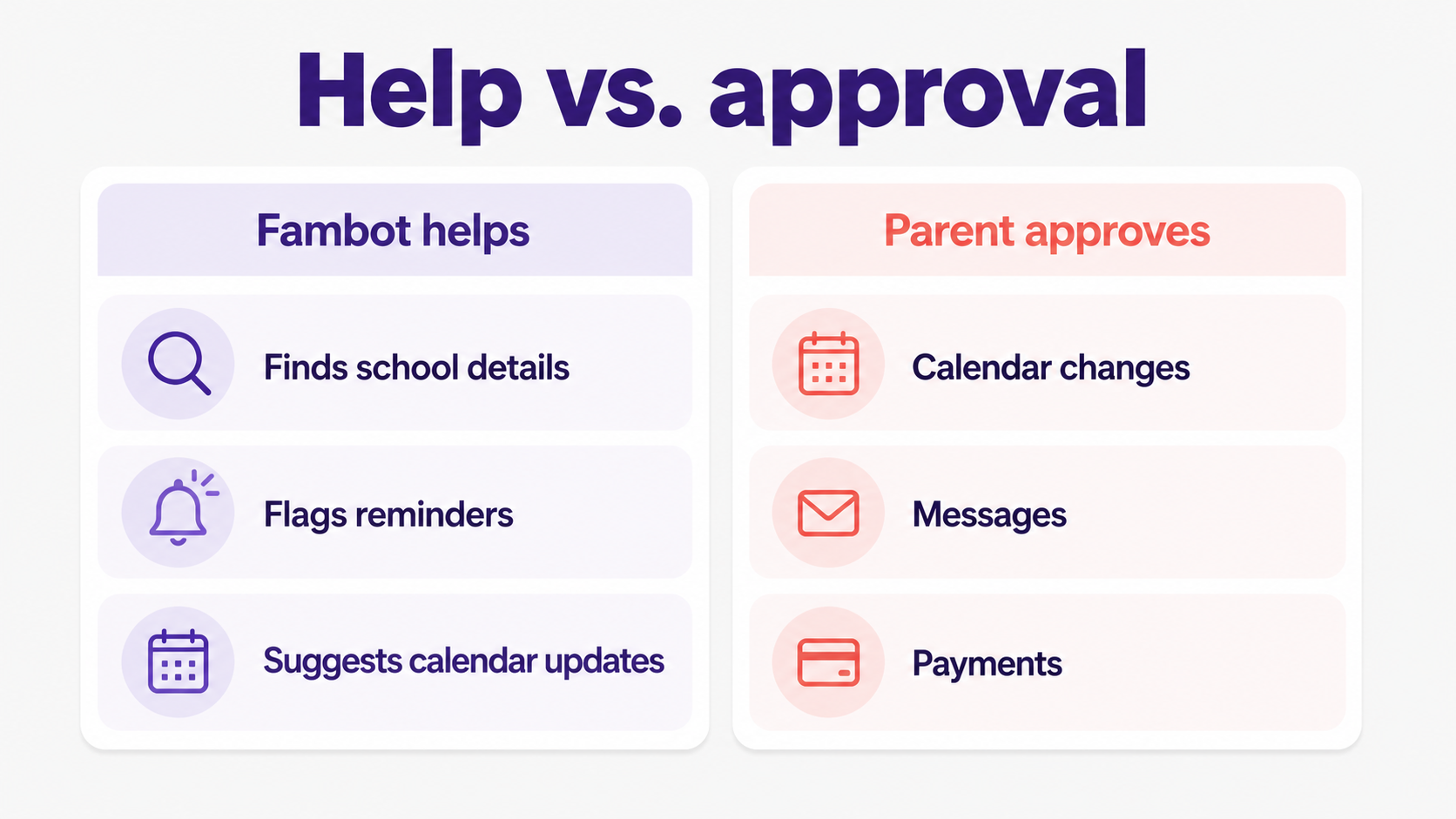
No. Fambot's public FAQ says it never sends emails on your behalf. The Trust and Safety page says Fambot will never send email without your explicit go-ahead. That is different from Fambot sending you service messages, such as daily plans, reminders, and things that need your attention, based on your settings (Fambot Trust and Safety).
For parents, the boundary is simple: Fambot can help you understand what needs to happen, but it should not commit you to another person without your say-so. A reminder that the class party needs snack volunteers is helpful. An email to the teacher saying you will bring cupcakes should require a parent.
The same rule should apply to text messages, payment links, forms, and RSVPs. If the action speaks for the family, spends money, shares personal details, or changes another caregiver's day, a parent should approve it first.
How much control do parents have over an AI family assistant?
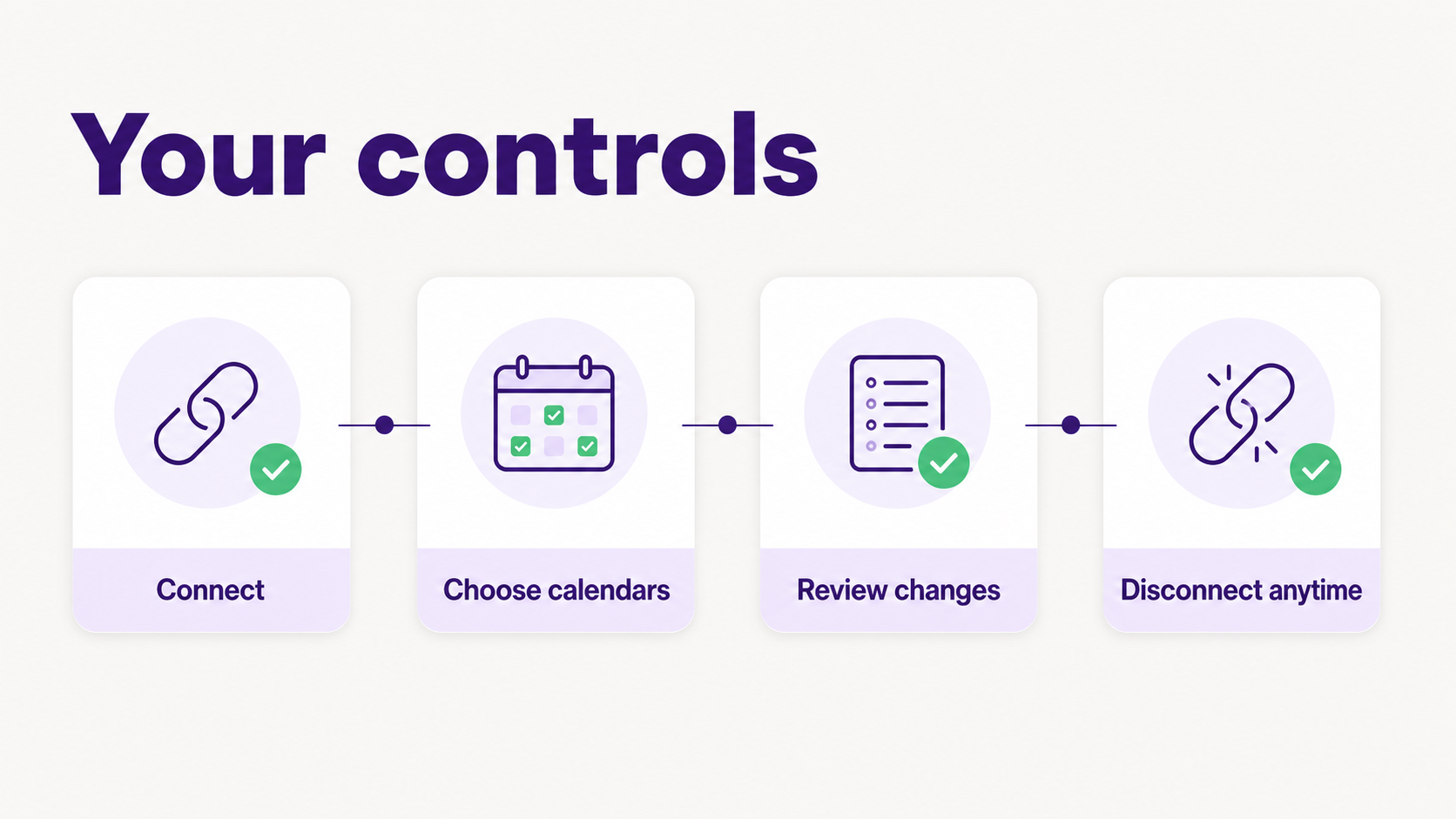
Parents should control three things: what gets connected, what gets changed, and how to turn the whole thing off. Fambot says parents choose which calendars it can access, can change that anytime, and can disconnect. Google also lets users review and remove linked app access from their Google Account (Google Account Help).
A parent-control checklist should include these questions:
- Can I see which accounts and calendars are connected?
- Can I choose which calendars the assistant can access?
- Can I tell the product to stop reading new information?
- Can I delete my account and the family information attached to it?
- Can I tell the difference between a suggestion and a completed action?
What does Fambot read after I connect my emails and calendars?
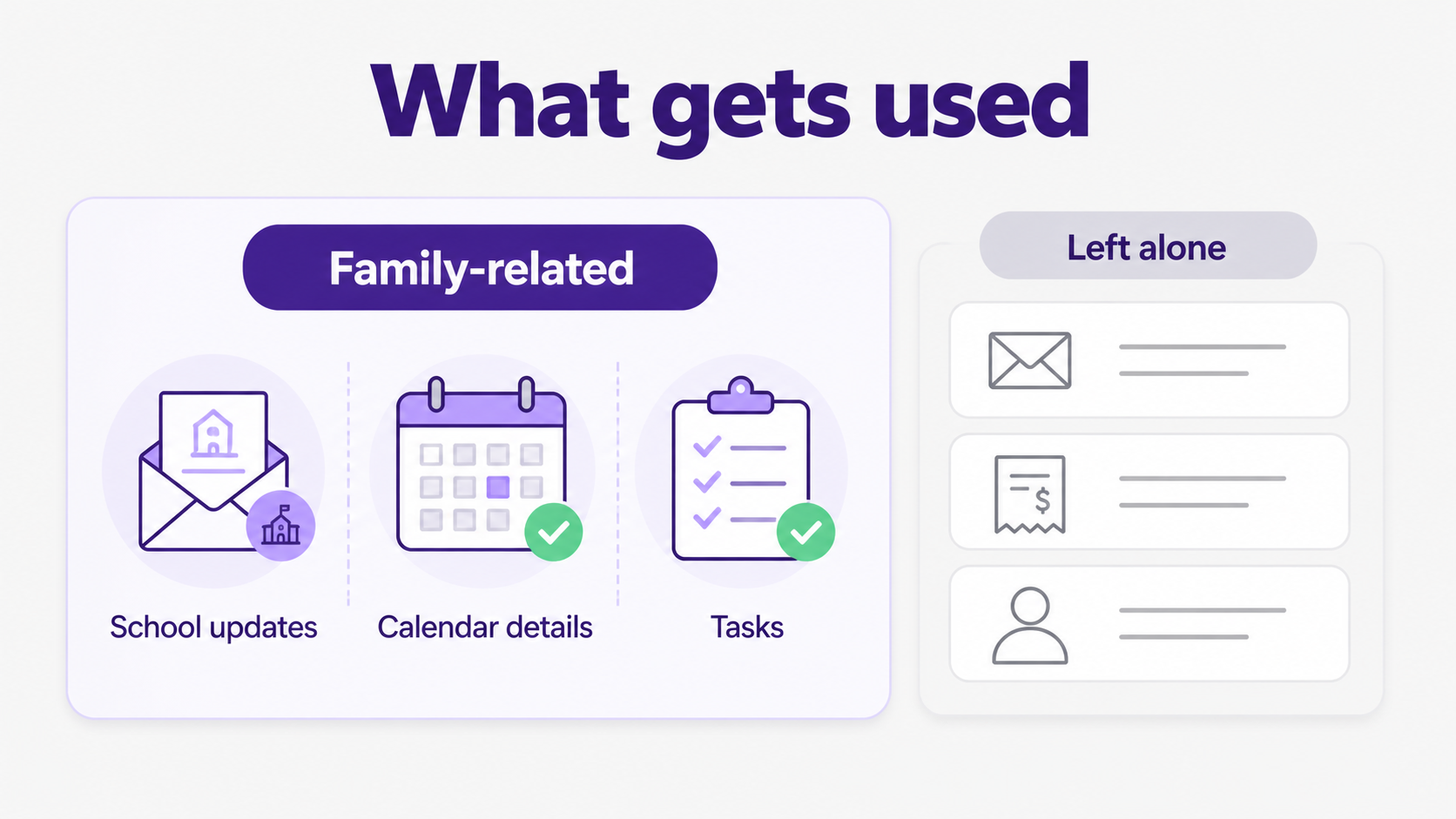
Fambot looks for family-related information, not every personal detail in your account. Its Trust and Safety page says it looks for items like schedule changes, deadlines, sign-ups, school newsletters, sports schedules, appointments, and bills. It stores extracted details and generated events, tasks, and summaries for emails it identifies as family-related (Fambot Trust and Safety).
The same page says everything else is left alone, including work mail, personal correspondence, and shopping receipts. It also says Fambot sends AI providers only the content needed for family-related tasks, not the whole mailbox, and that AI-provider content is deleted within 30 days.
That 30-day deletion window is worth noticing because families are not abstract users in this category. School messages can include children's names, schools, activities, pickup routines, and caregiver information. The FTC's COPPA materials frame children's privacy around parent notice, consent, access, security, and deletion rights for children under 13. Even when a service is built for parents rather than children, parents are right to ask how children's information is handled (FTC COPPA Act).
How does OAuth help parents keep control?
OAuth means the account provider handles the sign-in screen, and the app receives limited access instead of your password. Fambot says parents connect through the provider's own sign-in screen, Fambot never sees or stores the password, and parents can revoke access from Google account settings (Fambot Trust and Safety).
Google's own account help explains the parent side of that tradeoff: linked apps can access only the data and services a user authorizes, and users can remove access at any time. Google also warns users to review requests carefully before granting access (Google Account Help).
For a family assistant, OAuth is not magic, but it is the right starting point. Parents should still read the permission screen. They should know whether the app can only view data or can also create, edit, or delete data. Google says linked apps may request different levels of access, including view-only access or access that can manage account data.
What should parents approve themselves?
Parents should approve any action that changes the family plan, contacts someone, spends money, shares sensitive information, or affects a child outside the household. AI is useful for finding and organizing the pile. The parent should still own the decision.
Use this approval rule:
- Suggestions are fine for Fambot to surface.
- Calendar changes should be visible and permissioned.
- Messages, RSVPs, payments, and form submissions should require explicit parent approval.
- Anything involving medical details, custody details, school discipline, or a child's location should get extra scrutiny.
This is not anti-automation. It is the difference between help and autopilot. Parents usually do not want another dashboard to supervise. They want the right detail at the right time, plus a clear moment to say yes when the action matters.
What privacy questions should parents ask before connecting any AI family assistant?
Ask concrete questions before connecting family accounts. Good answers should be easy to understand without reading like a legal maze. Fambot publishes a dedicated Trust and Safety page, and that is the right pattern for this category: tell parents what the product sees, what it stores, who processes it, and how to delete it.
Start with these questions:
- What accounts and calendars does the product connect to today?
- Does it ask for the minimum access needed?
- Can it send email, message people, or edit the calendar?
- Does it use family data for advertising or sell it?
- Can AI providers train on my family's data?
- How long do vendors keep processed content?
- Can I disconnect and delete everything?
Google's Workspace API policy also sets a useful outside standard. It tells developers to request only necessary permissions, disclose data collection clearly, honor deletion requests, keep data secure, and avoid prohibited uses such as selling user data or using it for advertising (Google Workspace API User Data and Developer Policy).
Is Fambot a good fit if I want help, not autopilot?
Yes, if you want help reading family-related email, finding school details, building a daily plan, and keeping calendars easier to trust without giving up parent control. Fambot is a better fit when the hard part is noticing what matters, not when you want software to make family decisions on its own.
The parent-friendly version of AI is not a tool that silently takes over. It is an assistant that does the legwork before parents ask, shows its work in plain language, and lets a parent decide when something should actually change.
That is the bar for Fambot and for any AI family assistant worth connecting to real family accounts. Help with the reading. Help with the remembering. Help with the calendar. Keep the parent in charge.
Sources
- Fambot FAQs - Used for current product statements about current integrations, calendar permission, email sending, account disconnect, setup, and parent controls.
- Fambot Trust and Safety - Used for privacy, OAuth, AI-provider handling, calendar and email boundaries, deletion, encryption, and Google API Limited Use language.
- Fambot How it works - Used for setup timing, the first daily digest, and the current parent onboarding flow.
- Google Account Help - Used for linked-app permission behavior, reviewing requested access, and removing Google Account access.
- Google Workspace API User Data and Developer Policy - Used for minimum-permission, disclosure, deletion, security, limited-use, advertising, and AI-training policy context.
- FTC COPPA Act - Used for parent-control framing around children's information, consent, access, security, and deletion rights.




